Notifications
Clear all

Topic starter
26/06/2026 10:37 pm
Unreal Engine 5.8 support for the Classic Survival Horror Framework is coming soon!
As part of this update, we're also refining and improving the framework to provide a better experience going forward.
Starting with this release, Unreal Engine 5.5 will no longer be officially supported.
Going forward, the framework will officially support:
✅ Unreal Engine 5.6
✅ Unreal Engine 5.7
✅ Unreal Engine 5.8
Thank you for your continued support. We're excited to bring these improvements to the framework, and we're also actively working on future versions with even more features and improvements. We can't wait to share them with you!

26/06/2026 10:55 pm
Hi. I’ve just posted this on the Patreon, so feel free to ignore either here or there, but great that the classic framework is getting some love.
can you let us know what the refinements and improvements will be?
Hosna reacted
Topic starter
27/06/2026 9:08 am
@ben4886 Two updates are currently planned.
The first update is mainly focused on extra polishing the framework and making it more modular and UE5.8 compatibility. The second update is planned for CSHF V2 and will introduce new features. 😊
This post was modified 3 months ago 2 times by Hosna
Topic starter
30/06/2026 3:39 pm
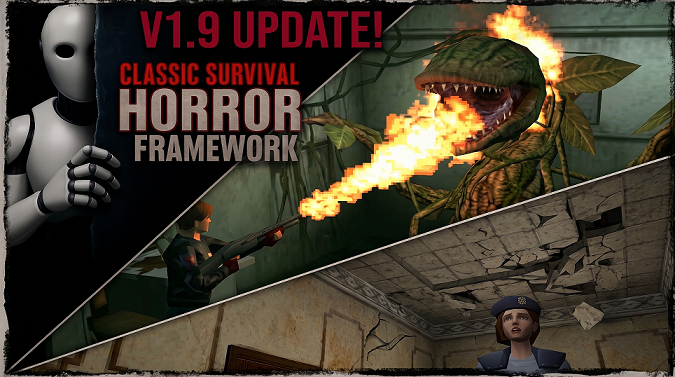
🔥 V1.9 - Coming soon!
In this update, we added the classic Flamethrower weapon. We also introduced Plant Enemies that block doors and paths, damaging the player upon approach; these can only be destroyed using the Flamethrower. We implemented the famous falling ceiling puzzle from the original Resident Evil 1. Additionally, we worked on making the existing systems more modular and flexible.
This post was modified 3 months ago 3 times by Hosna

21/07/2026 1:11 pm
Hi, Trello says it's scheduled for July. Since July is almost over, are you planning on releasing it in the next few days? I'd really like to start my project, but I'm afraid to do it in 1.8 since 1.9 is coming out soon. Thanks 🙂

21/07/2026 5:36 pm
@mbthecomposer Hey, thanks for your question and for your patience. We have an update regarding this topic, and we’ll be making an announcement very soon. It’s actually good news, so please stay tuned. We understand you’re waiting to start your project, and we really appreciate your patience while we finalize everything. 🙂

26/07/2026 8:10 pm
so i have gotten extremely far with my game using classic framework what would be the best way to incorporate the updates into my project
Topic starter
27/07/2026 10:06 pm
@chris Hey Chris,
Ben asked the same question a few days ago, and I explained it in detail there. Please take a look at that in this topic .
If you still have any questions after reading it, feel free to ask. 😊
02/08/2026 6:27 pm
hi there as i have not really edited any blueprints in a big way if i just copy v2 into my current project would that work and just overwrite the older existing classic horror bp i remember i used to do it when i made my first game and i made a complete copy of my game files and whenever i tried something new and broke something i could always copy of the game file folder and it would keep my latest working bp and since i havent really done any real editing to existing bps just changed meshes o sounds is it possible to just do this rather than coping my existing project into a new v2 project what is the best way to go copy what i have now into v2 or copy v2 into my current project
regards chris
Topic starter
11/08/2026 1:46 pm
@chris Hey Chris,
I completely understand where you’re coming from... Nobody likes having to redo work, especially when you already have a working project and most of your changes are just your own meshes, sounds, and other assets.
For now... though, the only completely safe approach I can recommend is to download a fresh copy of V2 and then add your own meshes, sounds, and other assets to that new version.
I wouldn’t recommend overwriting your current project with V2. There have been a lot of changes in V2, and even if you haven’t made many Blueprint modifications yourself, some parts of your existing project may not work correctly after being overwritten, or you could run into errors.
I know starting with a fresh V2 project and moving your assets over can feel like extra work ... and I really wish there were a simpler and safer way to do it... But at the moment, this is the approach I can recommend with confidence.
11/08/2026 8:31 pm
alright thanks for the advice what about things like cutscenes and so on if i migrate my map since i have one big map using a persistent level and then have level streaming volumes will i be able to migrate these without to much trouble i really dont want to redo the cutscenes they took the bulk of the time next to my actual maps
regards
chris