Notifications
Clear all

Topic starter
05/02/2026 8:05 pm
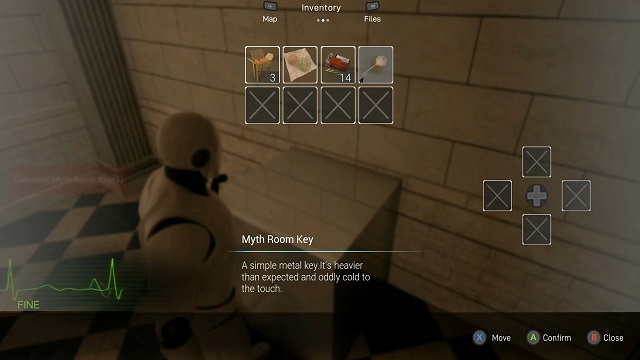
Welcome to the official Updates & Changelog thread for
Modern Survival Horror Framework.
⚠️ To keep the forum clean and easy to navigate, please use the appropriate sections for the following:
-
Bug reports → Bug Reports section
-
Feature requests/suggestions → Feature Requests section
-
Support → Support section
Thanks for your support 🤍
This topic was modified 8 months ago by Farshad
Topic starter
05/02/2026 8:10 pm
v0.1.8 – February 5, 2026
Added:
-
—
Improved:
-
Improved Narrow Traversal behavior and overall stability.
-
Improved Combination Lock interaction and responsiveness.
Fixed:
-
Fixed shortcut switching flow during movement (walk/run), preventing movement interruption based on community feedback.
This post was modified 8 months ago 2 times by Farshad
Hosna reacted
Topic starter
20/02/2026 9:11 pm
v0.2.0 – February 18, 2026
Added:
-
Optional standalone first-person mode configuration (separate setup, no auto perspective switching)
-
Visible unequipped weapons on the character
-
Breakable crates with configurable item drops
Improved:
-
Improved Stability of object interactions
-
Improved Stability of door interactions
JStudios reacted
Topic starter
28/02/2026 10:54 am
🔹 Modern Survival Horror Framework – v0.2.1
This update focuses on modularity improvements, interaction polish, and bug fixes.
New Features
-
Integrated a Data Asset–based object system
Objects are now more modular and data-driven, allowing developers to easily modify, extend, or add new interactable items without modifying core logic. -
Added footstep surface examples to the Overview Map for demonstration and testing.
Improvements
-
Improved smoothness of door unlocking in first-person mode.
Fixes
-
Resolved flashlight issue in first-person view.
JStudios reacted

10/03/2026 3:11 pm
🔹 Modern Survival Horror Framework – v0.2.2
Added:
-
—
Improvements
-
Improved compatibility of the same weapon types with the Data Asset system: You can now easily add new weapons using existing weapon types (such as pistols or shotguns). These weapons can be fully configured and controlled through the Data Asset system. The relevant section in the documentation has also been updated to reflect these changes.
Fixes:
-
—

10/03/2026 3:32 pm
@hosna How can i update it on a project i have already started without losing anything? thanks for your time!
11/03/2026 9:54 am
@sakuro Since the framework is a standalone project, the only way to get the latest version right now is to download a fresh copy from the Epic Launcher. Then you can transfer your project and any custom code to the new version.
Once we hit version 1.0 and leave Early Access, we’ll launch a PATCH section on our site. It’s already there but currently empty. In that section, we’ll provide a DIY guide showing step by step how to apply updates to your project, with full details, screenshots, and video tutorials.
This way you’ll be able to keep your custom work and safely update to the newest version.
11/03/2026 8:29 pm
🔹 Modern Survival Horror Framework – v0.2.3
Added:
-
-
Improvements:
-
Objects that require an interaction animation will now automatically use a default animation montage if none is assigned, preventing interaction issues.
Fixes:
-
Fixed an issue where interaction with objects could fail if the player spawned next to an item.
-
Fixed a bug related to transferring weapon data from Data Assets to the weapon structure.
Community contribution:
Special thanks to @sakuro and @ironydev for reporting these bugs and helping improve system stability.
28/03/2026 3:22 pm
🔹 Modern Survival Horror Framework – v0.2.6
Added:
-
-
Improvements:
-
Improved the stability of the narrow traversal system by removing framerate dependency from camera movement, ensuring consistent speed across all frame rates.
Fixes:
-
Resolved an issue introduced in v0.2.5 where the interaction indicator (circle) could reappear after re-equipping a previously picked-up weapon.
Also, over the past three days, we’ve made several improvements and fixes, which resulted in the release of v0.2.4 and v0.2.5. The following changes were included:
-
Fixed an issue related to packaging the project.
-
Fixed a bug related to first person narrow traversal system.
-
Improved narrow traversal system for first-person mode.
Community contribution:
Special thanks to @makiru , @phm_dng and @calo for reporting these bugs and helping improve system stability.
This post was modified 6 months ago by Hosna
23/04/2026 10:29 am
🔹 Modern Survival Horror Framework – v0.3.0
Added:
- Advanced Merchant System with Buying, Selling, Weapon Upgrading, and Persistent Save System
- Inventory Expansion System (Upgrade via Backpack Pickups)
- Injury System with animation
- A new Automatic Weapon (Rifle)
- Destructible Crates via Gunfire
- Added a new class called BP_VideoPlayer, which allows you to play videos as cutscenes during gameplay.
- Map system icons (Points of Interest), can now choose whether they are visible from the start or only appear after the player discovers them for the first time.
Improvements:
- Improved First-Person Item Pickup Interaction System
- First-Person Door Interaction Animations
- Improved Ladder Climbing System in First-Person Mode
- Smooth Weapon Sway System for First-Person Weapons
- Improvements to Data Assets.
Fixes:
- Fixed an issue in first-person mode where items had a slight glitch when entering inspection mode.
- Fixed a bug where canceling item inspection in first-person mode could sometimes cause the item to rotate unexpectedly when returning to its original position.
- Fixed a rare issue in the inventory system where moving large (two-slot) items could cause inconsistencies or bugs.
Community contribution:
Special thanks to @sakuro and @calo for reporting bugs and helping improve system stability with their questions and suggestions.
This post was modified 5 months ago 2 times by Hosna
27/04/2026 8:15 pm
🔹 Modern Survival Horror Framework – v0.3.1
Fixes:
- Fixed mixed herbs not restoring health correctly
- Fixed discard logic for two-slot inventory items
- Fixed storage box scrolling issue during gamepad navigation
- Improved third-person narrow traversal gaps and resolved camera issues (further improvements in progress)
Community contribution:
Special thanks to @mw , @calo , @cloudo and @kesotiv for reporting bugs and helping improve system stability.
CaLo reacted

06/05/2026 6:20 pm
Could someone kindly point me to the info on how to do an update? Do I need to start a new project? I updated the locally stored files in my vault. Should I just copy the files over to my existing project?
Thanks
06/05/2026 8:42 pm
@gremwel Hey, thank you for your question. At the moment, to update the project, you need to download the latest version of the framework from the launcher, and then carefully transfer your custom content (such as characters, animations, and any Blueprint changes) step by step into the new version.
After we reach version 1.0, we plan to introduce a Patch system with a section called “DIY,” so you won’t need to always download the latest full version. Instead, you’ll be able to follow guided steps to apply updates manually when needed.
02/06/2026 3:10 pm
🔹 Modern Survival Horror Framework – v0.4.1
Added:
- UE5 Skeleton Support
- MetaHuman Support
- Major Motion Matching Update
- Contextual Dialogue System
- Climb & Vault System
- Turn In Place System
- Crouch System
- Enemy AI Improvements
- Combat Feedback and Polish
- Valuable Items System
- Laser Sight System
- Pickup Item Beam Effect
- Auto-Save & Level Transition Save System
- Continue Button (Loads the Last Save Slot)
Fixes:
- Fixed the issue with passing through narrow gaps/walls in first-person mode while holding a weapon.
- Improved weapon sway in first-person mode when using a gamepad.
- And Several minor fixes and improvements across different systems.
This post was modified 4 months ago by Hosna
MW reacted

03/06/2026 12:34 am
Hi, sorry for the question, but I can't check the update for the next few days. Is metahuman support for the player character, zombie or both?
Page 1 / 4
Next